How to Choose a Pet Camera: What Actually Matters
The best pet camera is the one that covers the room your pet actually uses, stores video the way you want and keeps strangers out of your feed. Here is what to compare.
Leer en español
The best pet camera for you is the one that clearly shows the spot where your pet spends the day, stores clips in a way you are comfortable paying for, and is locked down so only your household can watch. Treat tossing and fancy alerts are extras; image, storage and security come first. Below is how to compare features, set the camera up safely and understand what no camera can do.
Which features you need, and who needs them
Start from the problem you want to solve, not from the feature list on the box.
| Feature | Who needs it | Who can skip it |
|---|---|---|
| Wide field of view or pan and tilt | Pets that roam a large room or several areas | A pet confined to one small area |
| Night vision | Anyone checking in after dark or with blinds closed | Daytime-only check-ins in a bright room |
| Two-way audio | Owners whose pet responds calmly to their voice | Pets that get more agitated hearing you but not seeing you |
| Treat tossing | Food-motivated dogs and cats; training routines | Pets on strict or prescription diets |
| Motion or sound alerts | Owners who want to know about barking, visitors or activity | Anyone who will mute frequent notifications anyway |
| Recorded clips (cloud or local) | Anyone who wants to review what happened, or show a vet or trainer | Owners who only watch live |
Video quality, night vision and field of view
Resolution numbers matter less than whether the camera sees the right place. A sharp image of an empty corner is useless. Before you buy, think about:
- Coverage. A wide fixed lens can cover a room; pan-and-tilt models can sweep but only show one direction at a time.
- Low light. Night vision is usually black and white. Check sample footage from the maker in a dark room, not just daylight shots.
- Bright windows. A camera pointed at a sunny window often turns the room into silhouettes. Aim it away from strong backlight.
Two-way audio and treat tossing
Two-way audio lets you talk to your pet, and some pets settle when they hear a familiar voice. Others get more confused or excited. Try it a few times while you are in the next room and watch the reaction.
Treat-tossing cameras turn check-ins into a game, but every treat counts toward your pet's daily food. If your pet is on a weight plan or a prescription diet, ask your veterinarian before adding remote treats. Also check how easy the dispenser is to clean, and whether a determined dog could knock it over or pry it open.
Storage: local, cloud and subscriptions
This is where the real long-term cost hides. Cameras usually handle recordings in one or more of these ways:
- Live view only. You can watch in real time, but nothing is saved.
- Local storage on a memory card or a home hub. No monthly fee, but if the camera is stolen or the card fails, the clips go with it.
- Cloud storage on the maker's servers, often tied to a subscription that may also unlock features such as smart alerts or longer history.
Before you buy, check which features work without a subscription, how long clips are kept, and what happens to the camera if you cancel. A camera that becomes nearly useless without a plan is a recurring cost, not a one-time purchase.
Wi-Fi and power
Most pet cameras need a steady Wi-Fi connection and a power outlet. Check which Wi-Fi bands the camera supports, test the signal where you plan to place it, and remember that live video uses upload bandwidth. If your internet goes down, a cloud-only camera stops recording; local storage may keep working, depending on the model.
Privacy and account security
A camera inside your home is a window others could look through if it is poorly secured. The U.S. Federal Trade Commission's guide How To Secure Your Home Security Cameras applies just as well to pet cameras. Its main points:
- Before you buy, look for cameras that encrypt your account information, livestreams and archived videos.
- Secure your router: a strong password, the firewall on, current software and WPA3 or WPA2 encryption. Consider a separate network for cameras.
- Change the default username and password, use a password you have never used elsewhere, and turn on two-factor authentication for the account when it is offered.
- Keep the camera's software and its app updated; sign up for automatic updates if you can.
- Limit remote access, and when you share the feed with others, use cameras that let you set different permission levels.
The FTC's broader advice on securing internet-connected devices at home adds two habits worth keeping: disconnect devices you no longer use, and for IP cameras, review access logs for activity you do not recognize. It is also sensible to point the camera at your pet's area rather than at bedrooms or bathrooms.
Placement and safety
Pets investigate new things, and cables are a classic target. The Merck Veterinary Manual notes that burns from chewing electrical cords happen most often in kittens, puppies and pet rabbits. Practical steps:
- Mount the camera on a shelf or wall out of reach, and run the cable behind furniture or through a cord cover.
- Make sure a jumping cat or a tail-wagging dog cannot knock it down.
- Keep treat dispensers stable and away from edges.
If you ever suspect your pet has bitten a live cord, Merck's pet owner guidance on electrical injury is clear: it is a true emergency, so call your veterinarian right away, even if the injury looks mild.
What a camera cannot do
A camera shows you moments; it does not diagnose or treat anything.
- It does not solve separation anxiety. If you see distress when you leave, such as constant barking, destruction or accidents, the ASPCA recommends seeing your veterinarian first to rule out medical issues, and for serious cases a qualified behavior professional. Recorded clips can help you describe what happens.
- It does not replace a sitter or a walk. It cannot refill water, let a dog out or notice a problem off-screen.
- It is not a health monitor. For what activity and intake devices can and cannot tell you, see pet health trackers explained.
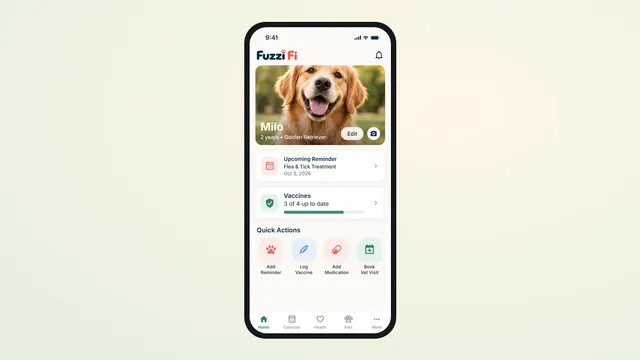
It also does not remember vaccine dates or flea and tick doses. Fuzzi Fi keeps those in a calendar with reminders on your phone, next to your pet's vet records. If your pet goes outdoors, our guide to choosing a dog GPS tracker covers the other side of keeping tabs on them.
Sources
- How To Secure Your Home Security Cameras — Federal Trade Commission (Consumer Advice)
- Securing Your Internet-Connected Devices at Home — Federal Trade Commission (Consumer Advice)
- Soft Tissue Trauma of the Mouth in Small Animals — Merck Veterinary Manual
- Lightning Strike and Electrical Injury — Merck Veterinary Manual (Pet Owner Version)
- Separation Anxiety — ASPCA
This article is general information, not veterinary advice. Your veterinarian knows your pet and is the right person for medical decisions.